The post Four ways with number variables appeared first on Veronica B.
]]>This demo uses all variable types, i.e. T/F, text and number. The number variables are used for four different purposes.
Number variable to keep count of dropped objects
The first use is a simple counter that adds up how many objects the learner has dropped on the target. The activity requires them to drop four, so each item is counted and when the count reaches four, the feedback layer shows.

Number variable to keep track of money spent
This is similar to the above, but this time the learner is selecting (clicking) objects to purchase. The number variable starts off with a defined number (amount of money) and each time the learner selects an object to purchase, the money count gets deducted.
Number variable to create a timer
In this case, the number variable is used to keep time. It starts at 30 seconds, and counts backwards until it reaches zero.

Number variable to keep score
In the same activity above we also use a number variable to keep score. Correct selections add two points and incorrect selections deduct one point.
Click PLAY below to check out this whole demo! (Sorry, can’t share this file)

As always, leave any questions in the comments, and if you liked this demo, feel free to share!
The post Four ways with number variables appeared first on Veronica B.
]]>The post Game: Let’s make a meal! appeared first on Veronica B.
]]>I have to be honest though; I started working on this game 40 weeks ago—that’s right, this was meant to be my entry for challenge 248, Create your own challenge extreme edition. I (obviously) didn’t complete it in time, but kept chipping away at it on and off, until this week I saw my opportunity to re-purpose it. So I did.

This game is a humble homage to a game I worked on a couple of years ago at Millipede. They make learning games for mobile devices, all custom-coded, big projects, really cool stuff.
As I always do, I asked myself whether I might be able to recreate some of the interactions in that game in Storyline. The answer, as it turns out, is yes, with some modifications of course.
This game is aimed at kids. It’s a fun way to go shopping with a budget, and then select a recipe to prepare and share with a friend.

This game makes use of music, voiceover, lots of variables and a gazillion state changes. It’s made to be re-playable. Overall I am really happy with how it turned out.
Check it out below… I am planning a series of video tutorials to go through the process of making this game. Let me know if that’s of interest and enjoy!
The post Game: Let’s make a meal! appeared first on Veronica B.
]]>The post Showing progress appeared first on Veronica B.
]]>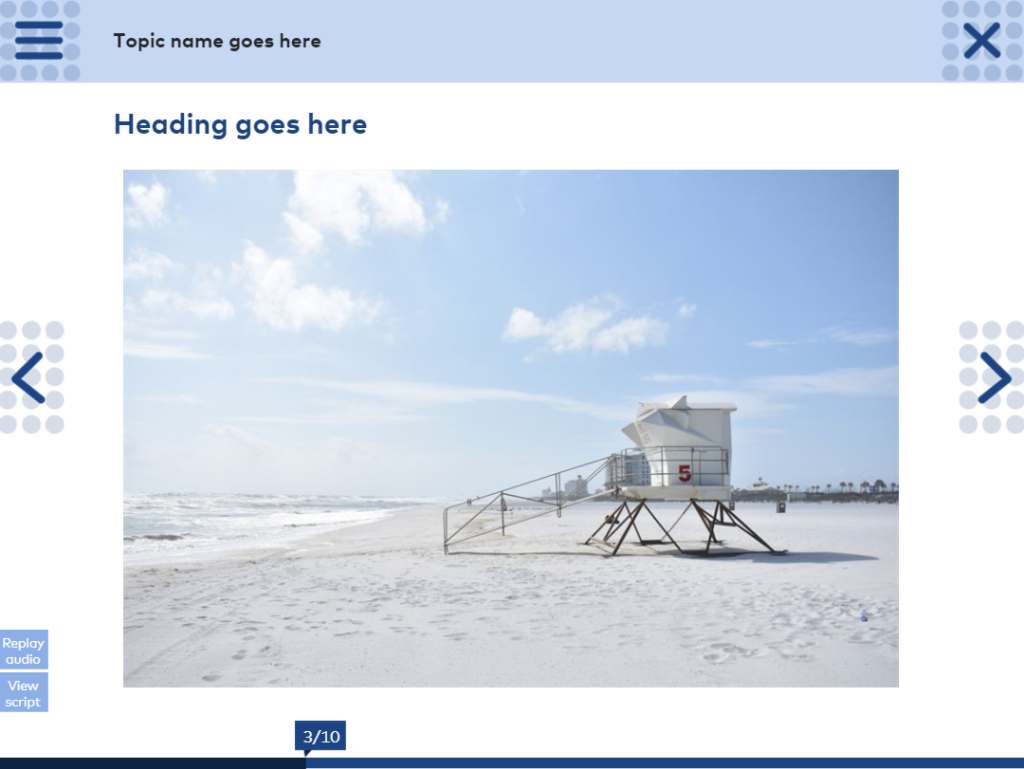
Showing learners where they are in the course, and how much they have to go, is a good way to help them both orient themselves as well as organise their time and plan how and when they’ll get through the course. They might decide to break up a longer course into two or three sittings, and knowing hoe many pages there are can help them do just that.
In a similar vein to my friend Jonathan Hill, who took us down memory lane by showing us highlights of his 50+ consecutive challenge entries (impressive!), I decided to go down memory lane a bit differently.
I put together a 10-slide demo with one slide from a different past project. All show either a page number, a percentage progress or a visual progress bar of some sort. Any references to clients and all content has been removed—I just added some nice photographs for visual enjoyment.
Take a look by hitting Play.
The post Showing progress appeared first on Veronica B.
]]>The post Gamify with badges and awards appeared first on Veronica B.
]]>Now, anyone who knows me knows that I take great pride in finding and fixing typos and spelling mistakes and grammatical errors, and pointing out the fact that I have done so. Naturally, now that I have said this, someone will find an error in this post… the irony.
Anyway, I decided to create an interaction where the learner races against the clock to find all the errors across three extracts from famous graduation speeches.

Try it for yourself! You’ll have 20 seconds to click on all the errors you find. When you find one, the correction—in red pen—will pop up.
If you get all errors within the time limit, you’ll earn a badge; if you don’t, you won’t, but you’ll be given another chance.

Give it a try by clicking PLAY below!
Wanna look inside? Feel free to download the source file (Storyline 360).
Fonts used:
- Courier New
- Journal
- Zilla Slab

And, please share!
The post Gamify with badges and awards appeared first on Veronica B.
]]>The post Animation three ways appeared first on Veronica B.
]]>Reduce, recycle, reduce
OK, I don’t think this is what the slogan means, but, for this challenge I decided to re-use the first interaction I built back in 2013 for my second ever client.
This interaction was a proof of concept. They wanted to show that it was possible to replicate a ‘real’ environment in a digital setting, at least to a point. The environment in this case was a lab, and the activity was drug testing.

Animation
Needless to say this was built in Articulate Storyline 360. This interaction makes use of:
- Entrance animations
- Exit animations
- Motion paths
The learner arrives at a screen where they are presented with three test tubes and a pipette (a word I did not know until I worked on this!). They need to use the pipette to extract the drug from each test tube, and put it into the chamber. Then, they receive information about the reaction that occurs.
Finally, the learner is presented with a question: which of the three drugs will work? The original interaction had 9 options, as well as 9 drugs to test, but in the interests of simplicity, this one only includes 3.

Try it out!
This week’s Dave posed a screencast challenge, so if you would like to see a screencast tutorial showing the animations used here, scroll down just a bit further and check out my video!
To see the demo now, clicky clicky:
Download Storyline source file
The post Animation three ways appeared first on Veronica B.
]]>The post Custom results – Kondo-style! appeared first on Veronica B.
]]>You may have seen many e-learning courses where, after completing the assessment, learners are presented with… this:

I wanted to do something that was playful but also quite minimalistic in look and feel, and somehow I thought of the Marie Kondo method of tidying. Now, I know people had been raving about it and how it’s changed their lives… and then they’d look at me and say ‘ah, you don’t need it’… I am a very tidy person and the opposite of a hoarder…
Nonetheless, I chose a Marie Kondo-inspired quiz. I designed a completely white player and background, selected a subtle, sans-serif, light font (Dubai Light) and found a vector image of a desk and office items, which I customised to be mostly greys with just one accent colour, a darkish orange.

The results slide is where it all happens. When you get to it after 4 gruelling questions, it will:
- tell you how well you know the Kondo method, and
- predict what your desk and office space looks like, based on your responses.
Wanna see? Get your headphones, cutesy music will guide you through…
Video tutorial
Want to see how it’s done? Here’s a fresh video tutorial, enjoy!
Freebie download
Feel free to download the source file below.
The post Custom results – Kondo-style! appeared first on Veronica B.
]]>The post Customise… everything! appeared first on Veronica B.
]]>Past examples
If you’ve read any of me previous posts, you’ll know that I almost always create custom feedback and results, such as in my Family Feud game, or this cashier checkout game or this quirky countdown timer example. I could submit any of these for this week’s challenge, but I was really keen to create something new.

Insurance claims training
I’ve created a lot of e-learning for the financial services industry so I decided to go with an insurance claims theme. It’s not a full demo, just a question with custom feedback and results.
So, have a look by clicking Play below! Hint: the correct answer is the woman (contains music).
The post Customise… everything! appeared first on Veronica B.
]]>The post Choose your own adventure appeared first on Veronica B.
]]>
Branching scenarios
At the core of a Choose your own adventure story is really good branching, plus really good writing. We always talk about branching scenarios in e-learning and how effective they can be when it comes to getting people to practise decision-making. I’m a big fan of Clark Aldrich and have used a lot of his techniques in my work.
A long time ago now, I started working on a complex branching scenario set in a zombie apocalypse. The learner must make good choices to survive.
Like many ‘play’ projects, I wrote a lot, developed a bit, and then got busy with other things. Then, I got back to it and created a mini second version (very mini).
Read the blurb for each version below to see which one you’d rather check out (or both if you have some time on your hands).
Version 1
This version is more story-like. There is more text, but it’s meant to be more amusing and to get the user to immerse themselves in the character. There is some pretty gory language, so if you’re squeamish, maybe try the second cleaned-up version.
Also, this is completely unfinished. It’s really just a big idea that got a bit developed. Here is the branching map, and this is just for the first set of choices.

Maybe one day, when I retire, I’ll finish it the way it deserves.
Oh, one more thing: every ending is a bad ending. Ooops, never got round to writing a happy ending. There are a few dead ends, so to save you some time, I added some ticks to the options that keep the story going.
Click PLAY below to see the live version (contains audio).
Version 2
When I realised I wasn’t going to finish version 1 any time soon, I decided to make a mini-version based on it. I cut down the text by a lot, and created some simple paths, and this time it is possible to reach a ‘good’ ending. This one will definitely take less time to get through. Should only take 2 or so minutes.
Here is the map for this one:

Click PLAY below to see this live version (contains audio).
If you really dig zombies, you can also check out my other zombie interaction here.
The post Choose your own adventure appeared first on Veronica B.
]]>The post Cashier Training – Checkout Interaction appeared first on Veronica B.
]]>A couple of years ago I was sub-contracted to develop 3 out of 15 levels of a gamified e-learning program for a major supermarket chain. The program was to train supermarket cashiers in how to operate the chain’s new checkout system—a fully touch-screen system complete with many, many buttons. They had to do it well and they had to do it fast!
The project was challenging but so much fun, so I’ve always wanted to create something of the sort but with my own design.

Challenge
The opportunity to do just that arose this week with the latest e-learning heroes challenge: Design an Interaction to Simulate the Grocery Store Checkout Process.
I took to paper first, as is my preferred method, and sketched out the main interactions, menu and look-and-feel. I wanted to keep the gamification aspect, so decided on creating 10 levels—but I only developed 2 for this demo. If you happen to be a major supermarket chain and are interested in developing a full course for your staff, do contact me!

Design
I decided on using a couple of the new modern illustrated characters from Articulate 360’s Content Library. I sourced a couple of supermarket items—bread and apples—but otherwise created the look-and-feel using nice bluey-yellowy-greeny colour theme.

Under the hood
Each of the two levels is created on a single slide, level 2 with many layers. It combines a series of drag-and-drop and button interactions, and lots of state changes to make things look like, well, as though you are operating a cash register at a major supermarket.

I’d love to develop more levels for this, but for now, check(it)out for yourself by clicking PLAY below.
What did you think? Leave me a comment or question below.
The post Cashier Training – Checkout Interaction appeared first on Veronica B.
]]>The post E-learning Rock Band appeared first on Veronica B.
]]>I’ve been busy so haven’t had heaps of time to participate in Dave Anderson’s weekly e-learning challenges lately. However, when I saw the topic for this week, I simply could not resist: E-Learning Röck Band Challenge! The task is “to design an interactive graphic or micro site for your (fictitious) e-learning rock band!”
Grungy vibe
I’ve always liked that grungy, scungy look of the 90s, so I decided to use an electric guitar as the base for the band’s site and place it against a scummy concrete wall. I set the player and slides to fully transparent and then used that trick where the background image is placed inside the Storyline output folder after publishing (because Storyline allows you to choose a colour for the HTML background page but unfortunately you can’t use an image). If you’d like to know how to do that, leave me a comment below and I’ll do a quick video for ya’.

Importantly, a shout out to Tim Slade who a while ago now posted a demo for a digital magazine and shared the source file. I adapted his ‘moving’ button to my demo, using a guitar pick instead. Thanks Tim!
Introducing… the STORYLINE developers!
My fictional band is called, you guessed it, the STORYLINE developers. In case you didn’t know, this is also, almost, the name of my business.
The band is made up of two very talented performers: Harmony Elektra and Mista Dirty. They’ve been around the e-learning rock-a-sphere for a couple of years. Some of you may even recognise them.
While my demo may not win many e-learning awards, I have high hopes for the band’s new video being nominated for the MTV music video awards. The site also includes their photo gallery, upcoming gigs, merchandise and side projects.
Check out the STORYLINE developers’ new site, including their latest video! Go on, click Play below.

The post E-learning Rock Band appeared first on Veronica B.
]]>